
Getting Started with Workday 101: A Beginner's Guide to Success
Hello HR Adventurers!
I have been thinking about writing about my recent Workday implementation journey for a while. If you have been in UKG or Workday, ***WARNING*** Don't read further if you do not want to hear about trails of Workday implementation, what to avoid, what to prepare for, and what I would do differently.
Workday Implementation
The first step after choosing Workday as your Human Resource Information System is finding your Application Management Services (AMS) Partner (sometimes called the Service Partners, linked to the Workday website to find the list of vendors). Workday requires you to collaborate with your AMS through implementation and beyond. This will be one of the most important decisions you make prior to even starting implementation.
I highly recommend talking to other companies that use Workday in your industry and asking them who their AMS partners are, and getting a list of at least 3-5. I would talk to all of them and find out what you're looking for in collaboration from the AMS partner. For example, you may want two AMS Partners, one for implementation and one for post go-live. The top 5 reasons listed in the image below are not all-inclusive and differ depending on your business needs:
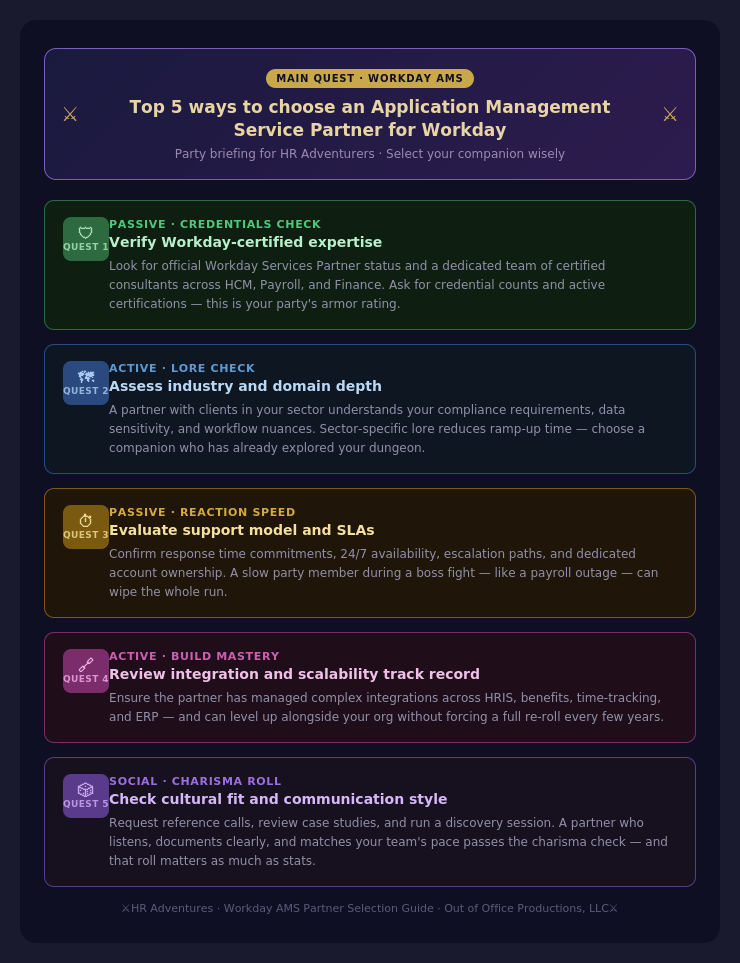
Among the top 5 priorities, the most significant assistance your AMS partner can provide is knowledge transfer. Workday, an HR software, employs numerous internal terms for concepts like position management, business processes, tasks, and more. In short, mastering the system involves a steep learning curve.
5 Essentials for Achieving Success in Workday
At this point in your Workday Journey, you have selected your AMS partner, and depending on where you are, you may be in the middle of implementation or starting your first year of implementation. The first year comes with many questions about configurations, refreshes, security, and more. I am going to list the 5 most essential things that I found most valuable in learning the system.
Find a Workday Friend, Mentor, and Community - This has been the most important thing in my ability to learn the system. Workday Community is a place where you can find a bunch of reference documents generated from Workday, and while some of them are helpful, it is really overwhelming sifting through them all when starting. I think the most helpful thing in Workday Community has been the Regional User Groups. I highly recommend that if you live in a state with complex labor laws to find your Regional User Group in Workday Community. If you need to phone a friend, do it!
Workday Learning - Your AMS Partner should be referring you to Workday Training during implementation. I highly recommend trying to fit this into your busy work schedules. Especially if you're new to Workday. We were not able to do this during orientation, and once I was able to do the training, three things really became much clearer:
Tenant Framework and Business Process Design
Unused Products and SKUs
The necessity of testing things
One of the coolest things about attending training is that they give you access to the training tenant and you're able to see all the business processes as Workday would deliver them. The instructor in my class also showed us how we could download business processes and how we could edit a few. I would recommend attending your core areas training. You're also able to see features in use that may not be turned on in your tenant or created. Most importantly, seeing a tenant fully designed really presses the need for quality.
Workday Project Management - One of the biggest things I realized as the first year of Workday started is that there are many cool features and options that we can turn on, and I am limited on the amount of time that I can spend on system design. It is important to work with your team on needs and determining the timeline for each project. Once you develop a framework, you can work with your AMS partner on a cadence for projects that may require more complexity or immediate completion.
Test, Test, Test - Generally, always plan to test things in sandbox. Coming from systems that did not have as many administrative maintenance needs, scheduling is not just about entering the data; it is also about determining how the data needs to be entered. Generally speaking, you will always want to test these in sandbox.
Employee Feedback - Do not forget who the system is meant to serve.
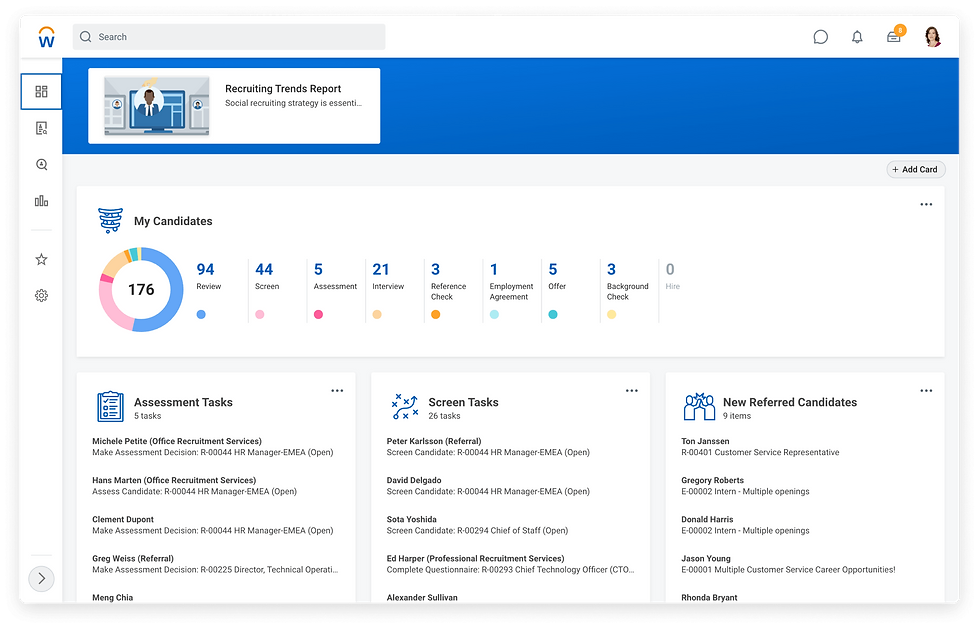
Workday HR Adventures University
Workday can be overwhelming at times. I can personally admit that one time I was trying to create a report and I could not figure out why the report was not viewable to an employee. It was apparently based on the job, not the role.
Welcome to Your HR Adventures Resource Space
I plan to develop a resource space that will provide you with accessible information tailored to the challenges of navigating HR systems. This space will include content like this article on implementation, as well as more practical details, such as configuring specific settings in Workday. From my own experience with Workday, I've found it challenging to locate information that isn't behind a password, paywall, or simply confusing. My goal is to offer straightforward posts with clear solutions to complex issues, making your HR journey smoother and more efficient.
What You Can Expect

Step-by-step guides for configuring Workday settings
Tips and tricks based on real-world experiences
Access to a community of HR professionals for support
Join the Adventure
If you're seeking these types of solutions, feel free to contact me at blog1@hradventures.com. Let's embark on this HR adventure together!

Comments